In my last message, I emphasized that the first week is less about content and more about establishing a technical foundation. We looked at how visual technology roadmaps and active first-day engagement help students master the course's "operating system" so they can focus on the discipline itself. We also explored using LMS analytics for early support—recognizing that students who don't engage in Week 1 are at a higher risk of struggling later (Macfadyen & Dawson, 2010).
Now that students are comfortable navigating the tools, Week 2 presents the perfect opportunity to establish active learning norms through the Flipped Classroom mode.
As the second week of the semester begins, the "honeymoon phase" often meets the reality of technical hurdles. This is the perfect moment to establish active learning norms. In tech education, the flipped classroom isn't just a trend; it’s a necessity. We are training students for an industry where "reading the documentation" (pre-class work) is the prerequisite for "shipping code" (in-class application).
The Pedagogical Shift
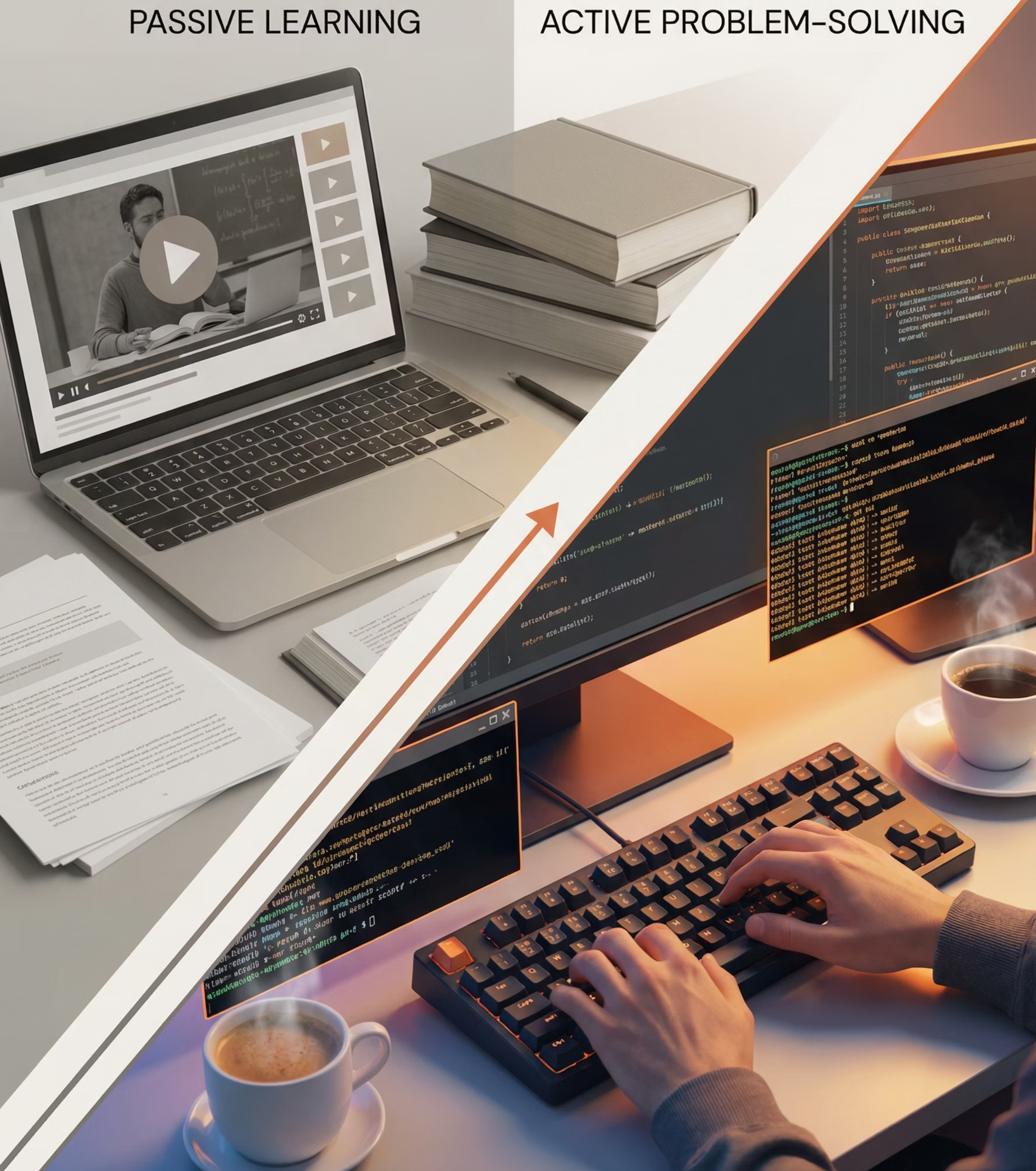
The flipped model moves passive content delivery (lectures) online, reserving the classroom for high-intensity problem-solving. The evidence is compelling: a meta-analysis of 225 studies found that active learning environments improved exam scores by 6% and reduced failure rates by 1.5x (Freeman et al., 2014). For computing specifically, flipping improves both conceptual mental models and actual syntax proficiency (Hao, 2016).
Phase 1: Designing Effective Pre-Class Content
The success of your Tuesday lab depends entirely on what your students did Monday night. According to Mayer’s (2014) Cognitive Theory of Multimedia Learning, your digital materials should follow two key principles:
The Segmentation Principle: Keep videos between 6-9 minutes. Attention drops off a cliff after the 6-minute mark (Guo et al., 2014).
The Worked Example Principle: Students learn better by studying an expert's process than by being thrown into a problem without a map (Sweller, 2006).
One of the biggest misconceptions about the flipped classroom is that you must spend your weekend in a recording booth. In fact, curating high-quality existing content is often more effective than creating it from scratch.
Leverage the Global Tech Community
Don't reinvent the wheel. If a world-class engineer has already explained Binary Search Trees with high-end animations, use their expertise. Your value is not in being a "broadcaster," but in being the editor-in-chief who selects the most accurate and clear resources for your specific objectives.
Sharing Ad-Free YouTube Videos
Nothing kills student engagement like a 30-second unskippable ad for a VPN right in the middle of a technical explanation. To provide a "clean" viewing experience:
Use YouTube's "Embedded" Link: When you embed a video directly into your LMS (Canvas, Blackboard, Moodle), it often strips away the sidebar distractions and "up next" recommendations.
Modify the URL: You can add
-nocookieto the URL (e.g.,youtube-nocookie.com/embed/...) to enhance privacy and reduce tracking-based ads.Import a YouTube link through Kaltura (or similar tool your school may sponsor) which usually removes the adds.
Adding Interactivity
To turn a passive YouTube video into an active learning experience, use a tool like PlayPosit (recently integrated into WeVideo Interactivity) or Camtasia. This allows you to "wrap" a video in a layer of assessment.
How it works:
The Video Overlay: You take a YouTube video on Memory Management and set a "bulb" (interaction point).
The Interaction: At the 4:00 mark, the video automatically pauses. A sidebar opens with a coding snippet.
The Assessment: The student must identify the memory leak in the snippet before the "Play" button is re-enabled.
The Data Benefit: These tools sync directly with your LMS Gradebook. Before you even walk into the classroom, you can see a dashboard showing exactly which students watched the video and which specific question (e.g., "The Difference between Heap vs Stack") stumped the majority of the class.
Example: Curated Module for Web Dev
Video A (YouTube): "How the Internet Works in 5 Minutes" (e.g., from Code.org or Kurzgesagt).
Video B (WeVideo Layer): A 10-minute deep dive on DNS Lookups with 3 embedded check-for-understanding questions.
The "Prep" Result: Students arrive knowing the difference between an IP address and a URL, allowing you to spend the entire class building a local server environment.
Phase 2: Maximizing In-Class Application
With the "what" out of the way, class time focuses on the "how." Here are three realistic structures for faculty:
Think-Pair-Share Code Reviews (20 min): Present a "dirty" Python function. Give them 3 minutes to find the bugs, 7 minutes to refactor with a partner, and 10 minutes to debate the "cleanest" solution. This leverages elaborative interrogation; explaining why a fix works deepens the memory (Dunlosky et al., 2013).
Mini-Project Sprints (40 min): Assign a "Ticket." Example: "Our API is slow. We have 500k records. Fix it.” Teams must diagnose, prototype (index vs. cache), and document.
The Immersive Edge: Use VR or 3D web visualizations to show abstract concepts. Seeing a 3D visualization of a B-Tree traversal or a Network Topology can help students build spatial mental models that 2D slides cannot provide (Merchant et al., 2014).
The Achilles Heel: "They Didn't Watch the Video"
Strategy: Build Accountability via "Interpolated" Testing
The most common reason flipped classrooms fail is students arriving unprepared. Brame (2016) suggests that the medium of video is not inherently effective unless instructors promote active learning through specific interventions. If you don't address this, your active learning session will stall.
1. Use the "Testing Effect" to Drive Preparation
Instead of a simple "watch and hope" approach, package your videos with interactive questions. Research shows that students who answer questions interpolated (inserted) between short video segments perform significantly better on subsequent tests than those who simply watch the content.
Reduce Mind Wandering: Quizzing during or immediately after a video reduces reported instances of student "mind wandering" and keeps them focused on the technical concepts
Correct Overconfidence: Students often perceive video as "easier" than text and overestimate their mastery. Low-stakes quizzes provide immediate feedback, forcing students to accurately self-assess their understanding of a codebase or schema
Lower Exam Anxiety: Students who engage with interpolated questions report feeling less anxiety about final assessments because they have been "practicing" the recall of the material all along
2. Technical Implementation: Kaltura and PlayPosit
To implement this without adding to your grading load, use your campus tools to automate the process:
Kaltura Quizzes: Since we use Kaltura, you can import any YouTube video and add a native Interactive Video Quiz. The video will automatically pause at a key technical decision point, requiring the student to answer before proceeding.
PlayPosit (WeVideo Interactivity): Similarly, PlayPosit allows you to embed questions that sync directly with your LMS.
Guiding Questions: If you don't want to use a formal quiz, provide "guiding questions" for students to consider while watching. This focuses their attention on the most important elements of the video and improves performance on later tests.
3. Summary of Best Practices for Tech Videos
Based on the principles of Cognitive Load and Engagement, keep these guidelines in mind when selecting or creating your Week 2 materials:
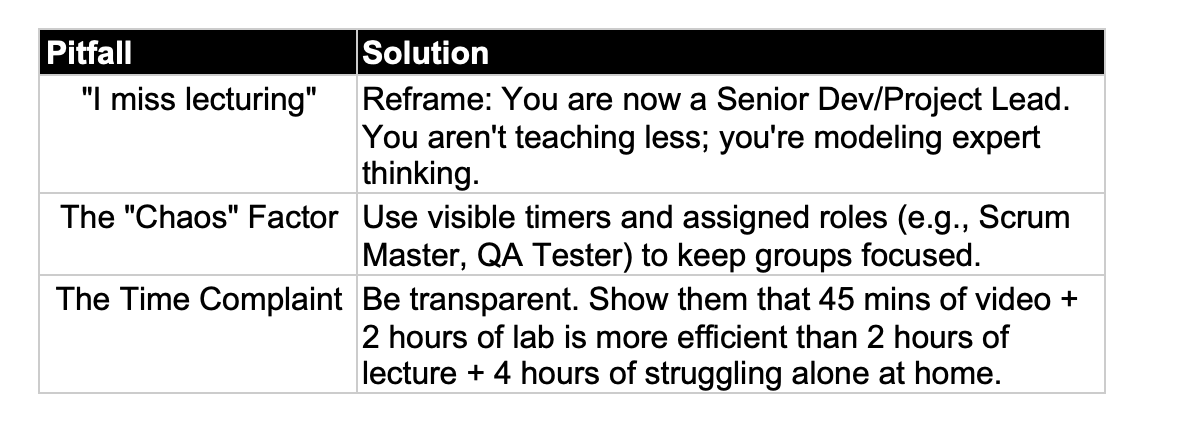
Additional Strategic Solutions for Accountability:
The Low-Stakes Quiz: Make a 5-question quiz due 2 hours before class. This increases viewing rates from 60% to nearly 90% (Brame, 2016).
The "Entrance Ticket": Students must submit one specific technical question about the video before they can join the day's group activity.
The First 5 Minutes: Run a live poll (TopHat/Mentimeter). If 80% get the diagnostic question right, move to the project. If not, do a 5-minute "Just-in-Time" micro-lecture.
The Flipped Tech Class Contract
To set the tone for the rest of the semester, here is a template you can post on your LMS. It shifts the "blame" from the instructor to the professional standards of the tech industry.
Our Learning Agreement
In this course, we use a Flipped Learning Model. This mirrors the industry reality of "Continuous Learning": a Senior Developer is expected to read the documentation (Pre-Class) before attending the Sprint Planning (In-Class).
Your Responsibility: Engage with the short video modules and complete the "Entrance Quiz."
My Responsibility: Ensure class time is never a repeat of the video. I will provide "Just-in-Time" coaching as you tackle complex builds.
The Reality Check: If you come prepared, you will build a portfolio of work during class hours. If you come unprepared, you will spend class time catching up, missing out on the expert feedback that improves your grade.
Conclusion: Looking Ahead to Week 3
As we move into Week 3, be prepared for a shift in student energy. The "novelty" of the semester often fades here, leading to a Motivation Crisis. In next week’s blog, we will explore Week 3: Connecting the Dots, where we pivot from how we learn to why it matters.
This strategy applies to a wide array of disciplines, not just tech:
Mining Professional Standards: In tech, we cite AWS or Cisco certifications. In Nursing or Education, this means aligning assignments with NCLEX or edTPA standards to show real-world relevance.
Reverse-Engineering Career Paths: We will analyze job descriptions from LinkedIn or Indeed. This helps English or History students see that "close reading" or "primary source analysis" are the "evidence-based decision-making" skills employers value.
Leveraging Current Events: We’ll discuss "pivoting" your syllabus to address real-world events—like using a recent data breach to teach Cybersecurity or a recent Supreme Court ruling to analyze Constitutional Law.
Microlearning Modules: We’ll look at providing focused, 3–5 minute "refresher" units on prerequisites. This allows Social Science students to review basic statistics or Language students to review verb conjugations without slowing down the rest of the class.
By situating assignments in these authentic contexts, we answer the fundamental question every student is asking: "Why should I care about this?"