Midterm Feedback via Google Illuminate | GenAI Essentials | Upcoming Opportunities

It’s a great time to think about receiving midsemester feedback on your course. I have written about the topics in the past on my blog, however, this time I used a new resource that might be helpful for multiple purposes:

Google Illuminate is an AI tool that creates podcast-style audio summaries of research papers. It’s designed to make complex academic information more accessible and engaging.

How it works

  1. Input a research paper, PDF, orURL into Illuminate*, or search for a topic.

  2. Illuminate generates an audio summary that explains the key points of the document.

  3. You can ask questions about the document, and Illuminate will provide a text output.

  4. You can convert the text output into a podcast answer.

*I do NOT recommend inputting copywritten information into this tool. However, it is optimized for computer science topics, and supports research papers hosted on arXiv.org

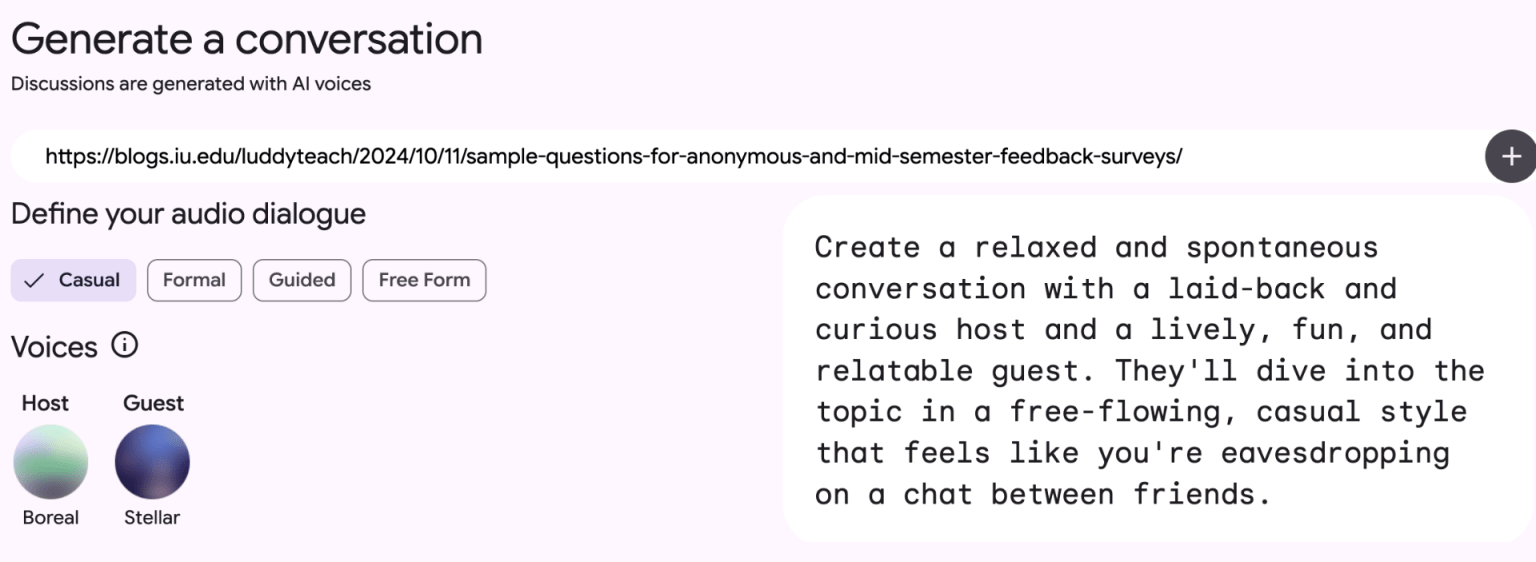
I used some of my previous blog posts to create a podcast that cover several aspects of creating developing and analyzing mid-semester feedback using the following prompt:

Create a relaxed and spontaneous conversation with a laid-back and curious host and a lively, fun, and relatable guest. They’ll dive into the topic in a free-flowing, casual style that feels like you’re eavesdropping on a chat between friends.

I used 4 resources from my blog:

Screenshot of what is now Google Notebook that shows a prompt for picking an audio for a podcast generated from my blog posts.

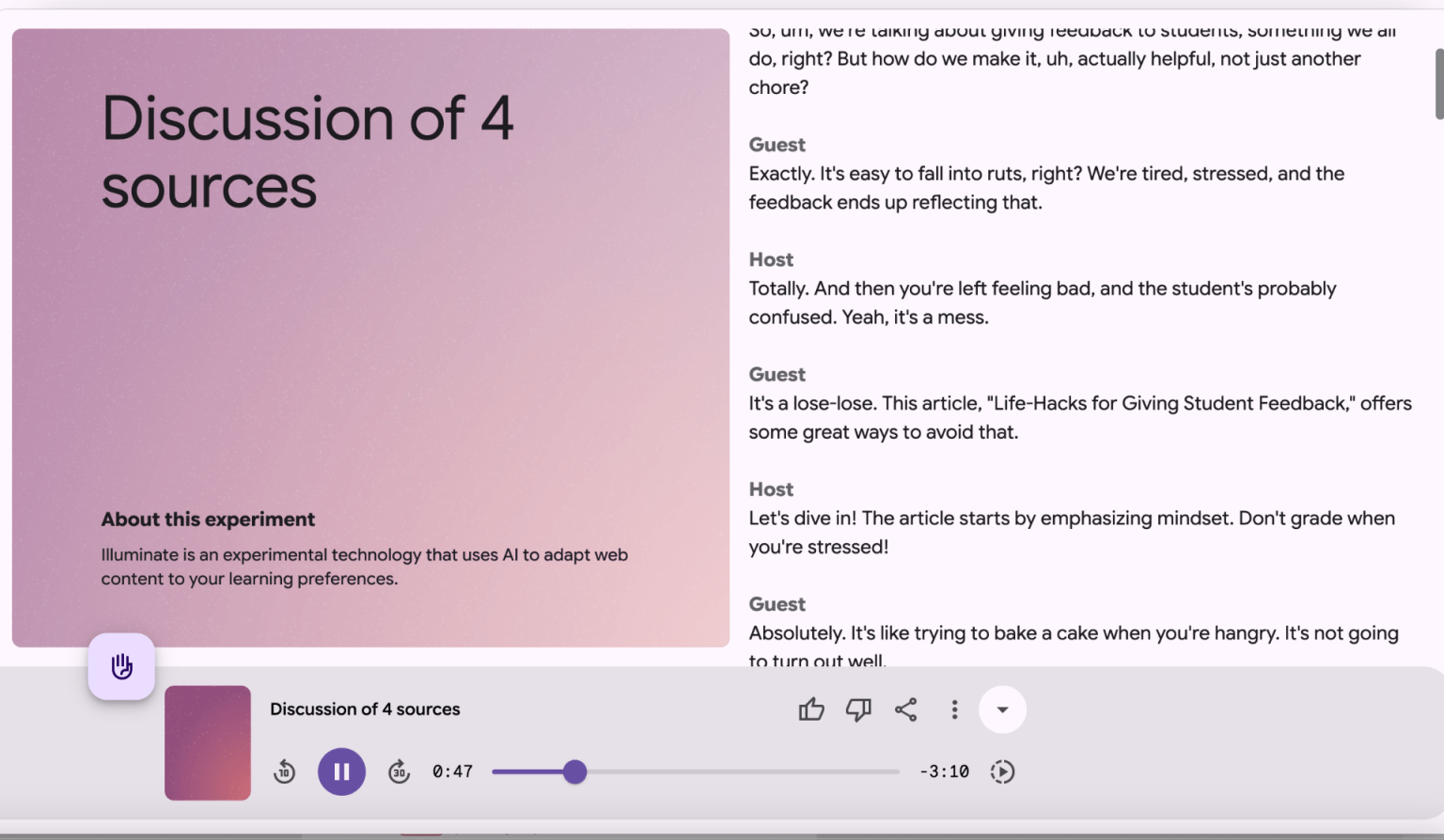
A 4-minute conversational podcast related to providing mid-semester feedback was generated that provides a decent overview of the topic is generated with a text transcript.

screenshot of the podcast interface

You might use this tool in your class to generate an overview to dense topics that students can listen to and/or read.

Resource to share with students:

GenAI Essentials: Practical AI Skills Across Disciplines (Student-Facing)

https://expand.iu.edu/browse/learningtech/courses/genai-essential-skills


This course, developed by the the Learning Technologies division of University Information Technology Services (UITS) covers:

  • Prompt Engineering – Crafting precise prompts to generate accurate and useful AI outputs.

  • Evaluating AI-Generated Content – Assessig reliability, credibility, and biases of AI-produced information.

  • Ethics and Limitations of GenAI – Understanding responsible AI use, ethical considerations, and potential risks.

  • Information Literacy in a GenAI Age – Applying verification strategies and library resources to fact-check AI-generated sources.

  • Studying and Learning with GenAI – Using AI tools for note-taking, summarization, and personalized learning support

Resource for you

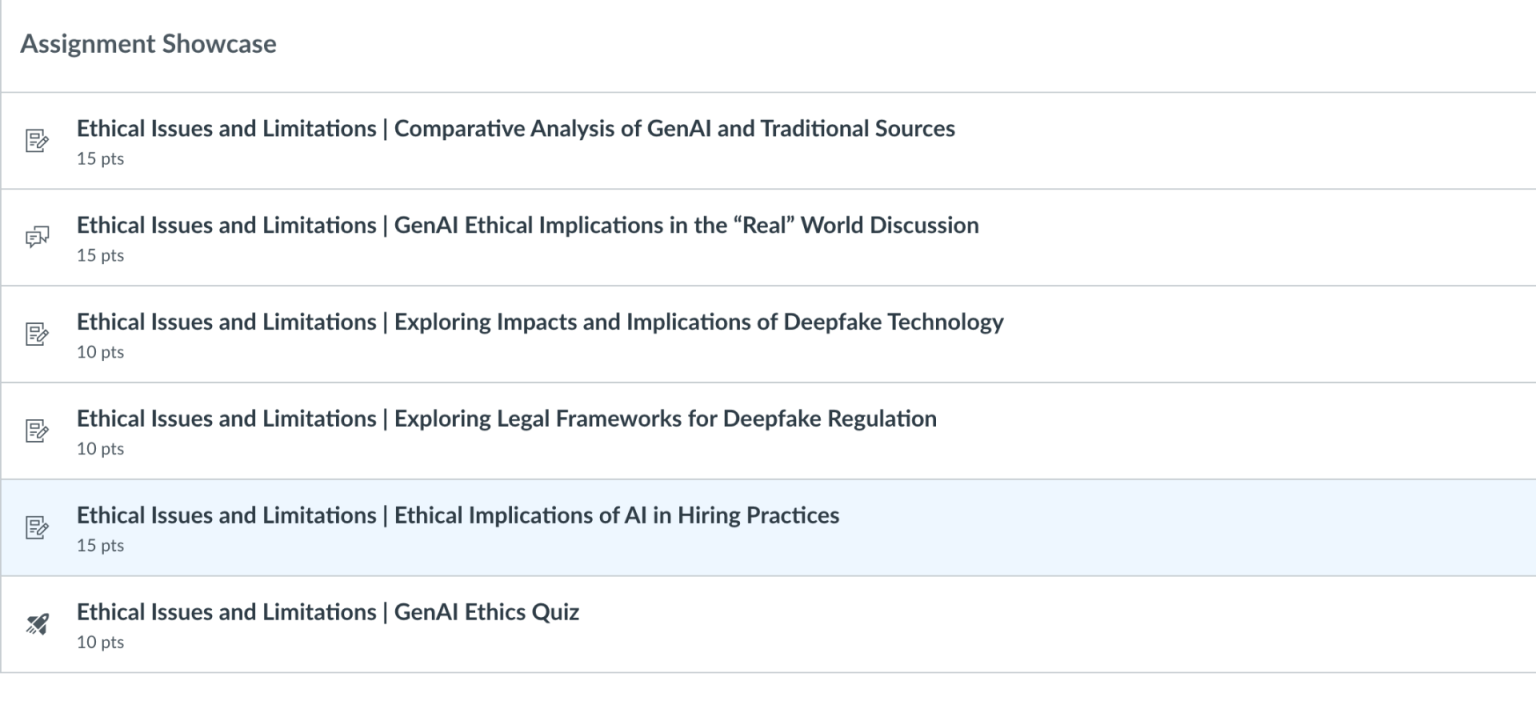
The faculty facing version of the course  https://iu.instructure.com/enroll/M7FE9Ecovers the same topics, but also includes assignment templates and rubrics that you can incorporate into your own course:

screenshot from the Canvas Gen AI Essentials at IU Course

Active Learning Strategies in CS


Active Learning is a term that is almost used generically when we discuss educational interventions. McConnell (1996) defined active learning in the computer science classroom as approaches that “…get students involved in activity in the classroom rather than passively listening to a lecture. Kramer and Nicoletti (2023) note in an article discussing the positive impacts of an active learning approach in the mathematics classroom that it also allows students to “work together to solve problems and explain ideas to each other. Active learning is about understanding the “why” behind a subject versus merely trying to memorize it… [However] a vexing challenge in calculus instruction – and across the STEM disciplines – is broad adoption of active learning strategies that work.”

Mahavongtrakul (2019) describes how the jigsaw method was used in an Introduction to Computer Architecture course. Students learn parts of the material in small groups, and then these different groups are mixed so that there is one person that learned each piece in a new group.

In an introductory computer science course, the following active learning activities were piloted  (2020) with positive outcomes:

Linked Lists (“Scavenger Hunt”). Students participate in a “scavenger hunt” around the lab. Students begin with a paper note with a location written on one side and a clue written on the other side. The location represents the contents of the linked list node, and the clue represents the pointer, which gives a hint to where the next note is located. The last note contains the clue “NULL” to specify that it is the end of the list. Afterward, students hold the paper notes and physically simulate different linked list operations, such as inserting a node into the middle of a list and deleting nodes in different positions. The peer mentor then draws out an ArrayList. The participants compare and contrast both list data structures in a wrap-up discussion.

Stacks and Queues (“Serving Pancakes”). The peer mentor begins with a review of terms. Then the class simulates a queue by lining up to be served from a stack of paper “pancakes.” Students are then divided into small groups to discuss and write pseudocode for how objects (student and pancake) would use stack or queue data structures. Additional prompts are presented, such as how to get to the pancake at the bottom of a stack. A discussion compares stacks and queues with other data structures (e.g., arrays and lists).

Recursion (“Russian Dolls”).The peer mentor reviews a math factorial example before moving into an analogy of nested Russian dolls. Students are asked how the total number of dolls could be counted, or how to determine if a doll of a certain color exists within the set. In small groups, students write pseudocode for recursive methods; the peer mentor circulates to answer questions before groups explain their pseudocodes.

Binary Trees (“Storytelling”).The peer mentor explains binary trees and the different ways they can be created, then introduces a storytelling activity. Participants tell a chronological story by numbering sentences, each depicting a story event, and placing them in a binary tree structure; the root node is the “present,” the left node is the “past,” and the right node is the “future.” The activity first creates a balanced binary tree, before participants create an unbalanced binary tree where are there no left nodes, so they can address insertion and traversal.

Program Design (“Let’s Build a Museum”). The aim is to demonstrate how one program can be designed in several different ways using a museum curation analogy. Participants sort through a list of items that may be exhibited in a museum and group them via appropriate exhibits: Individual display pieces are variables; exhibits represent classes; and sub-exhibits (such as “airplanes” within “transportation”) represent inheritance or interfaces. Students work as a whole class, then in smaller groups, and then the peer mentor facilitates a wrap-up discussion.

Mergesort (“Automotive Sorting”). Participants work with a simulation involving numbered toy cars that can change lanes on a multi-lane highway. The peer mentor demonstrates how lane changes can represent the splits and merges in the mergesort algorithm before each student takes control of a car, and the class works together to order the cars on the highway. The class then practices with pseudocode to examine the recursive nature of the algorithm before discussing common mistakes and debugging strategies.

If you would like to discuss ways to integrate more active learning strategies in your classroom, please contact me.

Educause recently released a white paper on the 7 Things You Should Know About Generative AI: 
https://er.educause.edu/articles/2023/12/7-things-you-should-know-about-generative-ai

The white paper is a brief primer that discusses the pros and cons of using generative AI in the classroom, as well as the implications of use for faculty and students

Teach AI

TeachAI is an educational resource designed to help education leaders and their communities realize the potential benefits of artificial intelligence (AI) while addressing the potential risks. While the site is primarily aimed at K-12 educators, it integrates resources specific to higher education, such as Strategies for Teaching Well When Students Have Access to Artificial Intelligence (AI) Generation Tools from George Mason University. The site features a toolkit which aims to:

  • Create a vision statement or set of principles and beliefs.

  • Integrate AI guidance into academic integrity, privacy, and responsible use policies.

  • Inform classroom practice, school policies, and professional development.

The toolkit addresses seven principles for using AI in education:

  1. Purpose: Use AI to help all students achieve educational goals.

  2. Compliance: Reaffirm adherence to existing policies.

  3. Knowledge: Promote AI literacy.

  4. Balance: Realize the benefits of AI and address the risks.

  5. Integrity: Advance academic integrity.

  6. Agency: Maintain human decision-making when using AI.

  7. Evaluation: Regularly assess the impacts of AI.

With the goals of emphasizing the following:

  • Guidance Leads to Transformation: Guidance and policies coupled with organizational learning can set the stage for improvement and transformation across the system.

  • Don’t Ban AI, #TeachAI: The AI Guidance for Schools Toolkit aids education systems in a thoughtful transition to guiding the safe, effective, and responsible use of AI.

  • Realize the Benefits and Address the Risks: Rather than just acknowledge the opportunities and risks of AI in education, the toolkit provides suggestions for mitigating risks so potential benefits can also be realized.

The Steering Committee that sets the vision and strategy for TeachAI is staffed and operated by Code.org, in collaboration with the Educational Testing Service, the International Society for Technology in Education, Khan Academy, and the World Economic Forum.  While the Advisory Committee consists of individual, organizational partners, and supporters from academia,

2023 State of Student Success and Engagement in Higher Education

Instructure, the company that created Canvas, has released the report: The 2023 State of Student Success and Engagement in Higher Education. They worked with Hanover Research to field a survey in 17 countries, asking for the perspectives of 6,100 current students, administrators, and faculty from 2-year, 4-year, public, and private higher education institutions in order to answer the following questions:

  • Are students satisfied with the existing skills-based learning opportunities for lifelong learning?

  • What tools best support student success and engagement and how can they be leveraged across the education landscape?

  • With technology being so immersed in the student experience, how can institutions address barriers to access and provide educators with the support they need inside and outside the classroom

  • How are faculty across the globe being supported through changes in their industry?

The key takeaways are:


Skills-based learning is becoming the most valued for its practical application in the workforce. 

As the workforce shifts and more jobs go remote, the need for students to demonstrate proof of skills to potential employers increases. Career advancement and the desire to learn new skills are most likely to influence students to pursue a skills-based learning opportunity, along with cost and program flexibility. Students increasingly desire courses and programs that undoubtedly prepare them for the workforce and expect educators to make more personalized courses, offer hands-on, practical learning opportunities, and support on-the-go learners.

Certificates and apprenticeship programs are becoming highly valued by both students and employers for their demonstrable proof of workplace skills, and upskilling/ reskilling for lifelong learners.

Longer life expectancy, education costs, and changes in the workplace are driving a fundamental shift toward lifelong learning. As more students seek skills-based learning opportunities to supplement their traditional degrees and ensure return on their educational investment, colleges and universities can adapt their offerings to meet this need. Of the skills-based learning opportunities institutions currently offer for lifelong learning, students are most likely to consider certificates and apprenticeships. Viewed positively by three-quarters of respondents, certificates and apprenticeships can serve as viable vehicles for the practical skills learners need for career readiness and advancement.

Schools need to provide consistent guidelines and training around generative AI for educators and students or risk a growing divide in skill development.

While technology played a vital role in getting students and educators through

the pandemic, AI has introduced a growing divide in the adoption of tech tools in the classroom. Through guidelines and training for generative AI, colleges and universities have an opportunity to aid educators in driving consistency for learners. Despite the building interest in generative AI, these tools have yet to be used consistently across institutions, with only one-quarter of educators currently using them. The top concerns educators have about using AI in classrooms are cheating/plagiarism and decreased creativity/critical thinking among students – who also use AI for research, writing and test preparation. Instead of hyper-focusing on cheating, educators should shift their focus to new assessment methods and productive uses of generative AI tools. Otherwise, they risk losing tech-native students and an opportunity to prepare them for future jobs that will leverage advanced technology.

Access to technology has the greatest impact on student success and engagement, but we haven’t solved the accessibility gap for many learners.

One of the silver linings of the pandemic was the increase in accessibility delivered through technology. However, as technology and education evolve, institutions risk widening the gap in accessibility for students with little or no access to technology, edtech tools, and reliable Wi-Fi or broadband connections. Learning management systems are among the most used edtech solutions, which most students and educators say are being used to increase accessibility. Although institutions provide technology equipment to students who cannot access it, offer hybrid learning options, and provide mobile app access to the LMS, accessing technology remains one of the biggest roadblocks for many students.

Students and educators value mental health resources, but really want time off.

Psychological well-being and access to mental health resources greatly impact student engagement and faculty support. Many institutions provide mental health resources that can be accessed through LMS integrations and partnerships, but a good portion of students are unaware of or unable to leverage these resources. Today, the top mental health resource offered by institutions is in-person/virtual counseling, but what students and educators want most are personal/ mental health days off to recharge.

Educators feel most empowered when they are given autonomy, respect, and holistic support.

Today’s educators are dealing with bigger classes, more regulation, and demands for greater flexibility from students in how they want to learn. They would like most for their institutions to offer additional personal development, acknowledge/award their achievements, and provide them with opportunities to give feedback. Educators feel most empowered by their institution when they are given autonomy and respect in their position and feel as though their physical and mental health is cared for. Currently, the top professional development opportunities available to educators through institutions are technology training and diversity, equity and

inclusion (DEI) training

Related Resource:
 

Quick Tip – AI Prompts for Teaching

Dr. Cynthia Alby developed the resource “Cut and Paste AI Prompts” for instructors. This comprehensive guide intends to provide instructors not only with prompts, but techniques to effectively experiment with various AI tools specific to various practices of teaching, such as  course design, assessment development, and lesson planning.  As Dr. Alby notes, “I have found that providing instructors with prompts they can cut and paste into AI made them more comfortable, more quickly with experimenting. I also discovered that when I can help someone experiment with AI for an hour or so, their anxiety levels tend to drop, and they begin to see it less like a threat and more like a tool.